
*https://www.youtube.com/watch?v=3wglqgskzjQ
**https://300.ya.ru/v_MlDwI4Zy
пересказ видео
00:00:00 Введение в обновления от Entropy
- Компания Entropy опубликовала список обновлений для агентов, которые мало кто замечает.
- Эти обновления важны для создания агентов, особенно для выполнения длительных и сложных задач.
00:00:15 Концепция двух вызовов
- Два вызова — основа работы агентов, преобразующая вывод языковой модели в JSON для вызова API-функций.
- Механизм вызова инструмента практически не изменился за последние два года.
- Агент генерирует параметры для запуска функции на основе предоставленного списка определений.
00:00:57 Пример работы агента
- Пользователь задаёт вопрос агенту, например, «Какая погода в Париже?».
- Агент отправляет вопрос и schema в языковую модель, которая возвращает инструмент для вызова функции.
- На стороне сервера запускается функция с параметром «paris», получается ответ, который отправляется обратно в модель.
- Модель синтезирует сообщение на основе ответа.
00:01:45 Проблемы эффективности
- Для сложных задач агент запускает несколько инструментов подряд, что может привести к недетерминированному поведению и избыточным данным в контекстном окне.
- Пример с Gmail: агент должен повторно отправлять запросы для каждого идентификатора электронной почты.
- Избыточные метаданные поглощают контекстное окно, делая его неэффективным.
00:02:53 Пример сложной задачи
- Агент пишет блог о новостях искусственного интеллекта, запуская веб-поиск и инструменты для работы с HTML-кодом.
- Модель должна вручную воссоздавать содержимое строк для передачи в инструмент написания блога.
- Это требует много токенов и неэффективно использует контекстное окно.
00:03:45 Улучшения от Entropy
- Новый релиз Entropy предлагает улучшения в инструментальном ядре для решения проблем с контекстным окном.
- Программный вызов инструментов позволяет модели писать код для запуска функций, а не выводить JSON.
- Модель может использовать условные пути и циклы for для детерминированного выполнения задач.
00:05:55 Эксперименты и результаты
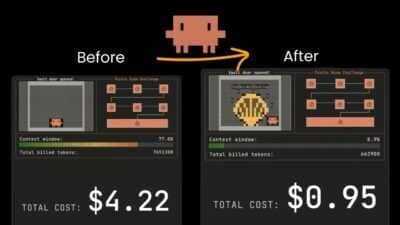
- Эксперименты показали, что контекстное окно программного инструментального кода значительно меньше традиционного.
- Включение программного вызова инструмента в настройки агента легко и не требует перестройки всей итерации.
- Функция выполнения кода позволяет агенту писать и выполнять код в «песочнице».
00:07:40 Преимущества программного вызова
- Использование кода позволяет модели выполнять пакетную обработку задач параллельно.
- Условные циклы и детерминированная фильтрация сокращают количество вызовов модели.
- Сокращение потребления токенов на 30–50% и ускорение процесса подбора агентов.
00:08:19 Введение в AI Builder Club
- AI Builder Club предлагает пошаговые примеры и руководства по работе с большими массивами данных и агрегированию информации.
- Доступны курсы и материалы по программированию ИИ и созданию производственных агентов.
- Еженедельные семинары с отраслевыми экспертами.
- Сообщество разработчиков ИИ.
00:09:06 Динамическая фильтрация для веб-поиска
- Динамическая фильтрация сокращает потребление токенов на 24% путём извлечения только релевантного контента из HTML-страницы.
- Активация фильтрации проста: нужно указать специальную версию web fetch tool 226259.
- В ответе API отображаются этапы выполнения кода для извлечения релевантных ключей.
00:10:16 Концепция двойного поиска
- Двойной поиск оптимизирует контекстное окно, загружая только необходимые инструменты.
- Вместо сотен схем инструментов загружается один инструмент поиска инструментов, что экономит около 500 токенов.
- Оптимизация контекстного окна может достигать 80%.
00:11:15 Отложенная загрузка инструментов
- Отложенная загрузка позволяет агенту не видеть ненужные инструменты, что снижает потребление токенов.
- Сервер MCP поддерживает гибкую конфигурацию отложенной загрузки.
- Метод особенно эффективен при работе с более чем десятью инструментами.
00:12:15 Примеры ввода для сложных инструментов
- Примеры ввода помогают агенту лучше понять, как использовать сложные инструменты, например, «создать тикет».
- Примеры вводятся в массив при определении инструмента и используются для подражания агенту.
- Повышает точность обработки сложных параметров с 72% до 90%.
00:13:22 Заключение
- Анонс новых шаблонов и готовящегося к выпуску релиза.
- Приглашение присоединиться к AI Builder Cloud для получения дополнительной информации.
- Упоминание о еженедельных семинарах и сообществе разработчиков ИИ.
In this video
Chapters
Transcript
Search transcript
Chapter 1: How things evolved
0:00
0 seconds
So, entropy has released a list of really interesting updates for the agenda tool calling then not a lot of people are talking about or pay attention to but I think it is really
0:08
8 seconds
big deal if you’re building agents particularly for longunning and complex tasks and this is what I want to talk you through today what it is and how can
0:17
17 seconds
you apply to your agent so what entrop here has I can almost consider as two calling 2.0 If you’re not familiar with two calling concept, two calling is a foundation of
0:26
26 seconds
agents. It transform large language model from outputting pure text to outputting a specific JSON that can be
0:32
32 seconds
used to invoke an API or functions. So that enables large language model to take actions in real world and the mechanism of tool calling or function
0:41
41 seconds
calling hasn’t been really changed for the past two years. Basically you will give large language model a list of two definitions. It has title, name,
0:48
48 seconds
description and most importantly the parameters that agent need to generate to run this function. Then when user asking agent question like what’s the
0:56
56 seconds
weather in Paris it will send both the user question to schema to the large langu model which will return a tool called text looks something like this
1:04
1 minute, 4 seconds
where the model decided to call get a weather function with param paris. Then on the server side we will run the function with this specific param get a
1:12
1 minute, 12 seconds
response and then send all the previous message plus this new tool response back to the model and in the end the model return a synthesized message. So when
1:21
1 minute, 21 seconds
you look at this process it’s actually kind of manual and basic but because everything is happening automatically it feels kind of magical. This is exactly
1:29
1 minute, 29 seconds
what is happening when you message your cloud bar and it is showing typing behind the scenes is doing this ping pong round trip to decide what tool to
1:36
1 minute, 36 seconds
call output params run function get response back decide the next step but this tool concept we introduced two years ago also has a lot of problems and
1:44
1 minute, 44 seconds
limitations the biggest issue is efficiency so for more complex task where agent will run multiple different tools in a row we’re basically purely
1:53
1 minute, 53 seconds
relying on large lang model to generate the parameters for each function and this can lead to some nondeterministic behavior as well as loads of wastes in
2:02
2 minutes, 2 seconds
the token context window. Let’s just take one basic example. Let’s say your agent has access to a list of Gmail related tools and you ask it what are
2:10
2 minutes, 10 seconds
the all the emails we have from Bob in my Gmail inbox. What happen is agent will first try to call the function search email with parameters Bob which
2:19
2 minutes, 19 seconds
can return a list of different email ids because that’s how their API endpoint works. Then to get each email agent will need to run re email two with ID one
2:28
2 minutes, 28 seconds
then do it again for the other email ID repeat multiple times until it get all the information and here we are relying on large range model to regenerate the
2:37
2 minutes, 37 seconds
ID exactly same and also some of to MCP their response result is gigantic like for the search email function it return
2:45
2 minutes, 45 seconds
us a huge amount of metadata that we don’t really need even though we just need the ID to be able to invoke the next function but all those information
2:54
2 minutes, 54 seconds
just stay and eat up our context window unnecessarily. And this type of situation can get even worse in some other situation where the function tool
3:02
3 minutes, 2 seconds
core par is actually complicated. Let’s say you give your agent a task to write a blog about AI news and it can run the
3:10
3 minutes, 10 seconds
web search first which return list of URL and for each URL it will run the web fetch tool which will return HTML
3:17
3 minutes, 17 seconds
alongside a whole bunch of noise in the HTML as well. And in the end if you have a specialized tool to write block where
3:24
3 minutes, 24 seconds
it will take row content and output a well-written block then large model will need to manually recreate all the row
3:32
3 minutes, 32 seconds
content from each web fetch function to pass into this right block tool and this is going to be very expensive and with whole bunch of token unnecessarily and
3:41
3 minutes, 41 seconds
this problem is not going to be solved by just having model with bigger context window because even though today’s model has a 1 million context window the
3:48
3 minutes, 48 seconds
actual effective context window is just somewhere between 120 AK to 200K. So you almost always want to optimize what goes
3:56
3 minutes, 56 seconds
into context window. And this is what Entropic’s new advanced two core release is so interesting. They released a list of different improvements to it two core
4:04
4 minutes, 4 seconds
capability to solve exactly this problem and I will talk you through one by one.
4:08
4 minutes, 8 seconds
Firstly, let’s talk about programmatic tool calling. This is one of the most important release here. The main idea here is very similar to a paper called
4:15
4 minutes, 15 seconds
executable code actions. So instead of using large learn model to be the glue to take a response from one action and
4:23
4 minutes, 23 seconds
passing to next action, what if we can just give a model environment where it can access any tools the agent has access to and just let larger model to
4:31
4 minutes, 31 seconds
output a piece of code to run multip functions. It will know how to use code to passing the result from one function to the other. It can even use things
4:39
4 minutes, 39 seconds
like for loop conditional pass to achieve more complicated workflow in a very deterministic and token efficient way. And this paper was released when we
4:48
4 minutes, 48 seconds
were still on like GPD4 era but the improvement of 2 use was already significant and cloudflare also had something similar released last year
4:56
4 minutes, 56 seconds
called code mode. They found that large model is much better at writing code rather than outputting JSON like this for calling the tool. So getting large
5:05
5 minutes, 5 seconds
model to perform task with tool calling is almost putting Shakespeare through a monthsl long class in mandaring and then ask him to write a play. So their point
5:12
5 minutes, 12 seconds
of view is that larger model just going to be so much better at writing code rather than outputting JSON and reasoning about it deciding the next
5:20
5 minutes, 20 seconds
step. So they also have code mode where it has function to convert any MCP to a TypeScript. So the agent can write a code to evoke those MCP tools and this
Chapter 2: Programmatic tool call
5:29
5 minutes, 29 seconds
entropic programmatic tool calling is exactly the same concept. So instead of just getting model to run one two cord time see the response and decide to next
5:38
5 minutes, 38 seconds
action they can just get a model have access in an environment they have direct access to all the MCP tools. Then the model can just write a piece of code
5:46
5 minutes, 46 seconds
like this to invoke those MCP tools so that they can contain whole bunch of noise and the context within the function rather than exposed in the
5:54
5 minutes, 54 seconds
context window. And in their experimentation they compare two methods side by side to get same model perform some puzzle resolving tasks. And you can
6:03
6 minutes, 3 seconds
see the context window of programmatic to call core is so much smaller than the traditional tool call and ops 4.5 is able to proceed much further on this
6:11
6 minutes, 11 seconds
task completion compared with the previous one and the way they design this make it very easy for you to enable programmatic tool calling in your existing agent setup without
6:20
6 minutes, 20 seconds
restructuring the whole agent archration. All you need to do is in your larger model response making sure you include this code execution
6:27
6 minutes, 27 seconds
function. So code execution function is a sandbox where agent will use to write and execute the code. Then for each tool that you pass into the large model, you
6:36
6 minutes, 36 seconds
can pass this new param called allowed caller. Pass this code execution 2026 0120 as one of the callers here. With
6:43
6 minutes, 43 seconds
this the programmatic two call is already automatically activated. It will firstly return a response look like this. So when you pass large model a
6:52
6 minutes, 52 seconds
function for query database with a request query customer purchase history from the last quarter and identify the
6:59
6 minutes, 59 seconds
top five customer by revenue large model will firstly return a response of a piece of code that it written and inside this code you can see it will try to
7:07
7 minutes, 7 seconds
call this function with certain param as well as another one with two use for this function and input param. So you
7:14
7 minutes, 14 seconds
can take out this response by filtering out all tool use and caller to do the actual database query and once finished you can send back all the past
7:23
7 minutes, 23 seconds
conversation history with a new user message of two response. Then the large lang model will just take your new two results feeding back to the piece of
7:32
7 minutes, 32 seconds
code you written before run it get a response and synthesize and in the end get a final response back. So the change on agent side is fairly minimum. All you
7:41
7 minutes, 41 seconds
need to do just adding this code execution tool alongside a lot of quarter param for for the functions and update your agent runtime to be able to
7:49
7 minutes, 49 seconds
extract those type of tool use and this comes with bunch of benefits because with code large model can use for loop to just batch processing task that can
7:58
7 minutes, 58 seconds
be ran in parallel and you can also use conditional loop to set up some more complex structure as well as some deterministic filtering to making sure only relevant information are returned.
8:08
8 minutes, 8 seconds
It fundamentally reduce all the model round trip to just minimum amount of larger model call. So you can reduce 30 to even 50% of token consumption and run
8:18
8 minutes, 18 seconds
agent much faster. This is particularly good for use cases where you’re processing large data sets that needing aggregations or fairly deterministic to
8:26
8 minutes, 26 seconds
call sequence that can be represented in code. And if you’re interested in learning more, we have the step-by-step examples and tutorials in AI builder
8:34
8 minutes, 34 seconds
club about how it works and how you can set things up properly for both programmatic tool and all the other techniques that we’re going to talk about. Meanwhile, we have course and
8:41
8 minutes, 41 seconds
content to cover AI coding, building production agents and weekly workshop where industry experts and myself will come and share the latest learnings of building large learning model software.
8:52
8 minutes, 52 seconds
And most importantly, we have this community of top AI builders who are building and launching AI products now.
8:58
8 minutes, 58 seconds
So if you want to follow and learn what myself and other builders are reading and learnings every day, this is a great place to be. I put the link in the description below so you can join if
9:06
9 minutes, 6 seconds
you’re interested. But yeah, this is the first part of programmatic tool call.
9:09
9 minutes, 9 seconds
Next, let’s talk about dynamic filtering for web fetch. Dynamic filtering is a subset feature of this programmatic tool call. So entropy releases dynamic
Chapter 3: Dynamic filtering
9:18
9 minutes, 18 seconds
filtering capability for the web fetch tool. The problem try to solve is that web fetch tool traditionally dumps a large HTML page into cloud’s context
9:26
9 minutes, 26 seconds
window. But most of those HTML content is irrelevant and this leads to a lot of wasted token in cloud’s context window and reduce accuracy. And what dynamic
9:35
9 minutes, 35 seconds
filtering do is that it will add a layer in the middle instead of returning the full row HTML. It will run a code that filter out only relevant content and
9:44
9 minutes, 44 seconds
extract only those relevant ones into context window. And from their testing, this dynamic filtering methods is able to reduce on average 24% of token
9:52
9 minutes, 52 seconds
consumptions. To activate it is also pretty straightforward. You just need to making sure you’re pointing to the special version of web fetch tool 2026209.
10:02
10 minutes, 2 seconds
You will see in API response you will automatically see those code execution step happening in the middle to extract only specific relevant keys. So in the
10:10
10 minutes, 10 seconds
end it return back only the relevant content back to large range model.
Chapter 4: Tool search
10:14
10 minutes, 14 seconds
Meanwhile J also introduces two search concept. So the problem try to solve is that the way agent use tools or MCP is not really scalable very easily. loads
10:23
10 minutes, 23 seconds
up context window in your agent regardless whether this tool is always needed or not and this didn’t feel very optimal and also why so many people are
10:32
10 minutes, 32 seconds
dropping the concept of MCP instead of moving towards the skill plus CRI version because it just so much more token efficient however agent skill is
10:40
10 minutes, 40 seconds
not a complete replacement for MCP because MCP also comes with a lot of benefits especially around the type safe since large model will know exactly what
10:49
10 minutes, 49 seconds
the input schema is and will try to follow that exact at input schema which you don’t really get from the skill plus CRI easily. That’s why entropy released
10:57
10 minutes, 57 seconds
this tool search concept. What that means is instead of loading up hundreds tool schema into context window, you just have one tool called tool search
11:05
11 minutes, 5 seconds
tool that can be used to retrieve relevant tools and that takes only around 500 token. So for many scenario
11:11
11 minutes, 11 seconds
it can lead to up to around 80% of context window optimization. And the way it works is that you can give your large
11:19
11 minutes, 19 seconds
model call a two search tool and then for each tool MCP you can start setting this deferred loading data. Once the
11:26
11 minutes, 26 seconds
deferred loading is true then this tool won’t be visible to the agent at default. Instead large model can use this tool search tool to retrieve the
11:33
11 minutes, 33 seconds
information dynamically. And in the large mode call response you’ll just see some additional steps show up in the middle where you will see it it will try
11:41
11 minutes, 41 seconds
to invoke this tool and this works with MCP as well for the MCP server is actually very flexible you have this one config called default config and if you
11:50
11 minutes, 50 seconds
set defer loading to be true that means all the tools from this MCP server default won’t be visible but you can set
11:58
11 minutes, 58 seconds
specific actions within this MCP like search events here to be deferred loading false which means only this specific function will be always
12:06
12 minutes, 6 seconds
visible. So this is really good methods if your agent has more than 10 different tools or MCPS and use this to significantly reduce the amount of token
12:14
12 minutes, 14 seconds
consumptions. And lastly tool use example. So this is try to solve another problem that for some of the complex
Chapter 5: Tool use example
12:21
12 minutes, 21 seconds
tools you found large model even with MCP will struggle to know how to use this tool. Think about a tool you might have for customer support called create
12:30
12 minutes, 30 seconds
ticket. It has many different properties that agent need to fill in. Even though schema will clearly describe what kind of field need to be put in but it’s not
12:38
12 minutes, 38 seconds
entirely clear how to fill in each field. For example, for due date here, it’s not clear which format you want agent to output for due date. And also
12:46
12 minutes, 46 seconds
there might be some correlation between one field to another. Like in this escalation, you might have different SLA hours depends on the level field here.
12:55
12 minutes, 55 seconds
And all those things can be probably achieved before by adding more description and prompt to indicate how to use a tool. But now they have more
13:03
13 minutes, 3 seconds
specific field for you to adding those information in called input examples. So when you define a tool you can also pass in a array of examples of how this tool
13:12
13 minutes, 12 seconds
will be called. So it can be used as example for agent follow and this is particularly useful for complex nested structure where valid JSON doesn’t imply
13:21
13 minutes, 21 seconds
the correct usage or your tools has many optional parameters and larger language model just keep forgetting or not feeling certain optional parameters when
13:29
13 minutes, 29 seconds
it should in his own experimentation using two use example can improve accuracy from 72% to 90% on on complex
13:38
13 minutes, 38 seconds
parameter handling. So those are a few new use cases and patterns and tropic release about tool calling that I thought was really exciting and interesting and again if you want to
13:47
13 minutes, 47 seconds
learn more there are step-by-step tutorial in AI builder club you can read and follow and every week we have weekly workshop to talk through those latest
13:54
13 minutes, 54 seconds
learnings from both myself and industry experts and if you want to follow and learn what I’m reading every day about this constant changing AI field this a
14:02
14 minutes, 2 seconds
great place to be in. I put the link in the description below so you can join if you’re interested. I hope you enjoy this video. Thank you and I see you next
Sync to video time